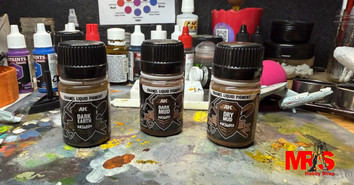
Most scale modelers spend hours getting the build and paint job right, then forget the one thing that makes a model look truly real: weathering. A tank that rolls off the production line looks nothing like one that has seen real combat. Mud on the wheels, dust on the hull, and dried dirt on the tracks, these are the details that separate a good model from a jaw-dropping one. AK Interactive pigments are one of the most trusted tools in the hobby world for creating exactly those effects.
What Are AK Interactive Pigments?
Pigments are ultra-fine powder particles that modelers apply to surfaces to simulate real-world textures. Think of them like dry chalk dust, but specifically made for scale models. AK Interactive pigments come in a wide range of colors designed to mimic natural materials like sand, rust, soil, and ash. Hobbyists and modelers who look for AK Interactive in Salt Lake City often seek these pigments first because they are easy to use and produce results that look genuinely realistic.
Unlike liquid paints, pigments sit on the surface and interact with light in a natural, matte way. That quality is what gives models a real-world, unpolished look that liquid products often cannot replicate.
The Tools You Need Before You Start
You do not need a lot of gear to work with pigments, but having the right tools makes a noticeable difference. Here is what works best:
- A stiff, flat-bristled brush for applying pigment in large areas
- A soft makeup or blending brush for feathering and blending edges
- AK Interactive Pigment Fixer to lock pigments in place after application
- Old toothbrush for flicking pigment onto surfaces for splatter effects
- A palette or small container to mix pigment shades together
Keep your workspace covered because pigments are fine powder and they spread easily.
How to Create Realistic Dust Effects
Dust settles naturally on upper surfaces like tank turrets, engine decks, and vehicle panel tops. Load a flat brush lightly with a sandy or light tan pigment and tap it gently over the model. Next, use a soft brush to push the powder into panel lines and recesses. Add a slightly darker tone on top to create natural-looking variation.
Building Up Mud on Wheels and Tracks
Mix Woodland Scenic Terrain Supplies earth-toned pigments with a small amount of pigment fixer or water to form a paste. Apply it directly to wheel hubs, track links, and lower hull areas using a stiff brush. Let it dry partially, then push the texture around unevenly. Real mud clumps irregularly, so uneven application actually looks more convincing than a smooth coat.
Dirt Effects for Ground-Level Realism
Dirt builds up in corners, along panel edges, and on lower body sections over time. Use darker brown and grey pigments and work them into those areas using a stiff brush. Push the pigment into panel lines gradually, building thin layers rather than applying one heavy coat. Seal lightly with matte varnish to hold the effect without adding shine.
Mixing Pigment Colors for Natural Results
Real mud and dirt are never just one color. Mix two or three AK Interactive pigment shades on a palette before applying them to your model in Salt Lake City. Desert scenes call for sandy yellows and light greys, while European mud leans toward dark browns with rust hints. Even a rough mix looks far more natural than a single flat tone.
Fixing and Sealing Your Pigments
AK Interactive Pigment Fixer locks powder in place without altering the matte finish. Apply it sparingly because too much can darken the pigment or leave a slight sheen. Let the fixer dry fully before touching the model again. Once sealed properly, your weathering stays put and the model is ready for display or safe transport.
Frequently Asked Questions
Q1. What are AK Interactive pigments used for in scale modeling?
A1. AK Interactive pigments are fine powders used to simulate dust, mud, rust, and dirt on scale models. They add realistic weathering effects that liquid paints alone cannot achieve convincingly.
Q2. Can beginners use AK Interactive pigments easily?
A2. Yes, pigments are beginner-friendly. You apply them dry with a brush, blend as needed, and seal afterward. No special airbrush or thinning equipment is required for basic weathering effects.
Q3. How do you keep pigments from falling off a model?
A3. Use AK Interactive Pigment Fixer after application. It locks powders in place while preserving the matte, natural-looking finish. Apply it lightly to avoid darkening or glossing the surface.
Q4. What pigment colors work best for mud effects?
A4. Dark earth browns, burnt umber, and grey-brown mixes work best for mud. Adding a touch of rust tone makes the mud look more aged and realistic, especially on vehicle tracks and lower panels.
Q5. Can AK Interactive pigments be mixed together?
A5. Absolutely. Mixing two or three pigment shades gives a more natural, multi-toned result. Real-world mud and dust are never a single color, so blending shades creates far more convincing effects.
Your Next Great Model Starts at MRS Hobby Shop
Here at MRS Hobby Shop, we stock a strong selection of AK Interactive pigments, washes, enamels, and auxiliary products to help you get the most out of every build. Our team understands the hobby because we live it, and we are happy to point you toward the right product for your specific project.
We also carry Woodland Scenics Terrain Supplies for modelers building full diorama scenes, giving you everything you need to complete a ground-level setting that matches your finished model. Browse our full AK Interactive collection online and take your weathering work to the next level.